Distributed Cache
GitHub Overview
dotnet/extensions
This repository contains a suite of libraries that provide facilities commonly needed when creating production-ready applications.
Topics
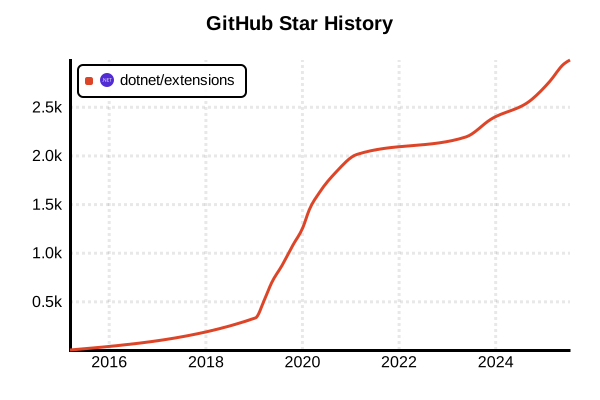
Star History
Library
Distributed Cache
Overview
Distributed cache is a caching system that stores data across multiple machines or nodes. It pools the RAM of multiple computers into a single in-memory data store used as a data cache to provide fast access to data.
Details
Distributed cache systems are essential technology for modern large-scale web applications and microservices architectures. Major distributed cache solutions include Redis (Remote Dictionary Server), Memcached, and Hazelcast. Redis is an in-memory data structure store known for high performance, supporting rich data types like strings, lists, sets, sorted sets, hashes, bitmaps, and geospatial indexes. Memcached is a simple yet powerful general-purpose distributed memory caching system designed to speed up dynamic web applications. Hazelcast is a distributed in-memory data grid that provides distributed computing capabilities beyond just caching. The main benefits of distributed caching include application acceleration, scalability, fault tolerance, and performance improvement. Architectural patterns utilized include Embedded Cache, Client/Server pattern, and Sidecar pattern. The choice between systems depends on specific requirements, with Redis excelling in simple caching scenarios, Memcached providing straightforward key-value caching, and Hazelcast offering comprehensive distributed computing capabilities.
Pros and Cons
Pros
- Scalability: Additional cache servers can be added without disrupting existing operations as traffic grows
- High Availability: If one cache server fails, requests can be rerouted to other servers ensuring continuous availability
- Performance Improvement: Data is stored closer to users, reducing fetch time and improving response times
- Fault Tolerance: Data replication eliminates single points of failure
- Load Distribution: Data and requests are distributed across multiple nodes, reducing overall system load
- Flexible Architecture: Supports various caching patterns (cache-aside, read-through, write-through, etc.)
- Memory Efficiency: Efficiently manages large amounts of data across multiple machines' RAM
Cons
- Complexity: Increased system complexity compared to single-node cache
- Network Dependency: Network latency affects performance
- Data Consistency: Consistency management can be challenging in distributed environments
- Configuration and Management Costs: Requires setup, monitoring, and maintenance of multiple nodes
- Complex Failure Scenarios: More complex failure patterns than single systems (network partitions, node failures)
- Security: Need to ensure communication security between multiple nodes
Key Links
- Redis Distributed Caching Overview
- Hazelcast Distributed Cache Foundations
- Caching Patterns for Microservices
- Major Distributed Caching Solutions Comparison
- Redis vs Hazelcast Comparison
- Memcached Official Site
Code Examples
Redis Distributed Cache Setup
import redis
from redis.sentinel import Sentinel

# High availability setup using Redis Sentinel
sentinel = Sentinel([
    ('localhost', 26379),
    ('localhost', 26380),
    ('localhost', 26381)
])

# Discover master and slave
master = sentinel.master_for('mymaster', socket_timeout=0.1)
slave = sentinel.slave_for('mymaster', socket_timeout=0.1)

# Write to master
master.set('key', 'value')

# Read from slave
value = slave.get('key')

# Redis Cluster usage example
from rediscluster import RedisCluster

startup_nodes = [
    {"host": "127.0.0.1", "port": "7000"},
    {"host": "127.0.0.1", "port": "7001"},
    {"host": "127.0.0.1", "port": "7002"}
]

rc = RedisCluster(startup_nodes=startup_nodes, decode_responses=True)
rc.set("key", "value")
print(rc.get("key"))
Memcached Distributed Cache (Python)
import pymemcache
from pymemcache.client.base import Client
from pymemcache.client.hash import HashClient

# Single server connection
client = Client(('localhost', 11211))
client.set('some_key', 'some_value')
result = client.get('some_key')

# Distributed cache with multiple servers
servers = [
    ('127.0.0.1', 11211),
    ('127.0.0.1', 11212),
    ('127.0.0.1', 11213)
]

# Distribution using consistent hashing
hash_client = HashClient(servers)

# Set data (automatically distributed to appropriate servers)
hash_client.set('user:1001', {'name': 'Alice', 'age': 30})
hash_client.set('user:1002', {'name': 'Bob', 'age': 25})

# Get data
user_data = hash_client.get('user:1001')
print(user_data)

# Bulk operations
hash_client.set_many({
    'product:1': {'name': 'Laptop', 'price': 999},
    'product:2': {'name': 'Mouse', 'price': 29}
})

products = hash_client.get_many(['product:1', 'product:2'])
Hazelcast Distributed Cache (Java)
import com.hazelcast.config.Config;
import com.hazelcast.core.Hazelcast;
import com.hazelcast.core.HazelcastInstance;
import com.hazelcast.map.IMap;

// Hazelcast cluster configuration
Config config = new Config();
config.setClusterName("dev-cluster");

// Network configuration
config.getNetworkConfig().getJoin().getMulticastConfig().setEnabled(false);
config.getNetworkConfig().getJoin().getTcpIpConfig()
    .setEnabled(true)
    .addMember("192.168.1.100")
    .addMember("192.168.1.101")
    .addMember("192.168.1.102");

// Create Hazelcast instance
HazelcastInstance hazelcast = Hazelcast.newHazelcastInstance(config);

// Use distributed map (cache)
IMap<String, String> cache = hazelcast.getMap("my-cache");

// Store data (automatically distributed across cluster)
cache.put("key1", "value1");
cache.put("key2", "value2");

// Retrieve data
String value = cache.get("key1");
System.out.println("Retrieved: " + value);

// Store data with TTL (Time To Live)
cache.put("temp-key", "temp-value", 30, TimeUnit.SECONDS);

// Distributed execution example
hazelcast.getExecutorService("default").executeOnAllMembers(
    () -> System.out.println("Execution node: " +
        Hazelcast.getAllHazelcastInstances().iterator().next()
            .getCluster().getLocalMember())
);
Node.js Redis Distributed Cache
const Redis = require('ioredis');

// Redis Cluster configuration
const cluster = new Redis.Cluster([
  {
    host: '127.0.0.1',
    port: 7000,
  },
  {
    host: '127.0.0.1',
    port: 7001,
  },
  {
    host: '127.0.0.1',
    port: 7002,
  }
], {
  redisOptions: {
    password: 'your-password'
  }
});

// Cache helper class
class DistributedCache {
  constructor(redisCluster) {
    this.redis = redisCluster;
  }

  async get(key) {
    try {
      const value = await this.redis.get(key);
      return value ? JSON.parse(value) : null;
    } catch (error) {
      console.error('Cache get error:', error);
      return null;
    }
  }

  async set(key, value, ttl = 3600) {
    try {
      await this.redis.setex(key, ttl, JSON.stringify(value));
      return true;
    } catch (error) {
      console.error('Cache set error:', error);
      return false;
    }
  }

  async del(key) {
    try {
      await this.redis.del(key);
      return true;
    } catch (error) {
      console.error('Cache delete error:', error);
      return false;
    }
  }

  async exists(key) {
    try {
      const result = await this.redis.exists(key);
      return result === 1;
    } catch (error) {
      console.error('Cache exists error:', error);
      return false;
    }
  }
}

// Usage example
const cache = new DistributedCache(cluster);

async function cacheExample() {
  // Cache data
  await cache.set('user:1001', {
    name: 'Alice',
    email: '[email protected]',
    lastLogin: new Date()
  }, 1800); // 30 minutes TTL

  // Retrieve data
  const userData = await cache.get('user:1001');
  console.log('Cached user data:', userData);

  // Pattern matching deletion
  const keys = await cluster.keys('user:*');
  if (keys.length > 0) {
    await cluster.del(...keys);
    console.log(`Deleted ${keys.length} keys`);
  }
}

cacheExample();
Distributed Cache Architecture Patterns
# Cache-Aside Pattern (Lazy Loading)
class CacheAsidePattern:
    def __init__(self, cache_client, database):
        self.cache = cache_client
        self.db = database

    def get_user(self, user_id):
        # 1. Check cache first
        cached_user = self.cache.get(f"user:{user_id}")
        if cached_user:
            return cached_user

        # 2. On cache miss, fetch from database
        user = self.db.get_user(user_id)
        if user:
            # 3. Store in cache
            self.cache.set(f"user:{user_id}", user, ttl=3600)

        return user

# Write-Through Pattern
class WriteThroughPattern:
    def __init__(self, cache_client, database):
        self.cache = cache_client
        self.db = database

    def update_user(self, user_id, user_data):
        # 1. Write to database
        self.db.update_user(user_id, user_data)

        # 2. Update cache simultaneously
        self.cache.set(f"user:{user_id}", user_data, ttl=3600)

        return user_data

# Write-Behind Pattern (Write-Back)
import asyncio
from collections import deque

class WriteBehindPattern:
    def __init__(self, cache_client, database):
        self.cache = cache_client
        self.db = database
        self.write_queue = deque()
        self.start_background_writer()

    async def update_user(self, user_id, user_data):
        # 1. Update cache immediately
        await self.cache.set(f"user:{user_id}", user_data, ttl=3600)

        # 2. Add to write queue (async DB write)
        self.write_queue.append(('update_user', user_id, user_data))

        return user_data

    async def background_writer(self):
        while True:
            if self.write_queue:
                operation, user_id, user_data = self.write_queue.popleft()
                try:
                    await self.db.update_user(user_id, user_data)
                except Exception as e:
                    # On error, put back in queue
                    self.write_queue.appendleft((operation, user_id, user_data))
                    print(f"DB write error: {e}")

            await asyncio.sleep(1)  # Check every second

    def start_background_writer(self):
        asyncio.create_task(self.background_writer())